Miyoo Mini Plus or Steam Deck for GBA ROM hacks?
Compare two ways to play your patched Pokémon game: Onion on a Mini Plus, or a GBA emulator on SteamOS. The important difference is the setup you want to maintain.
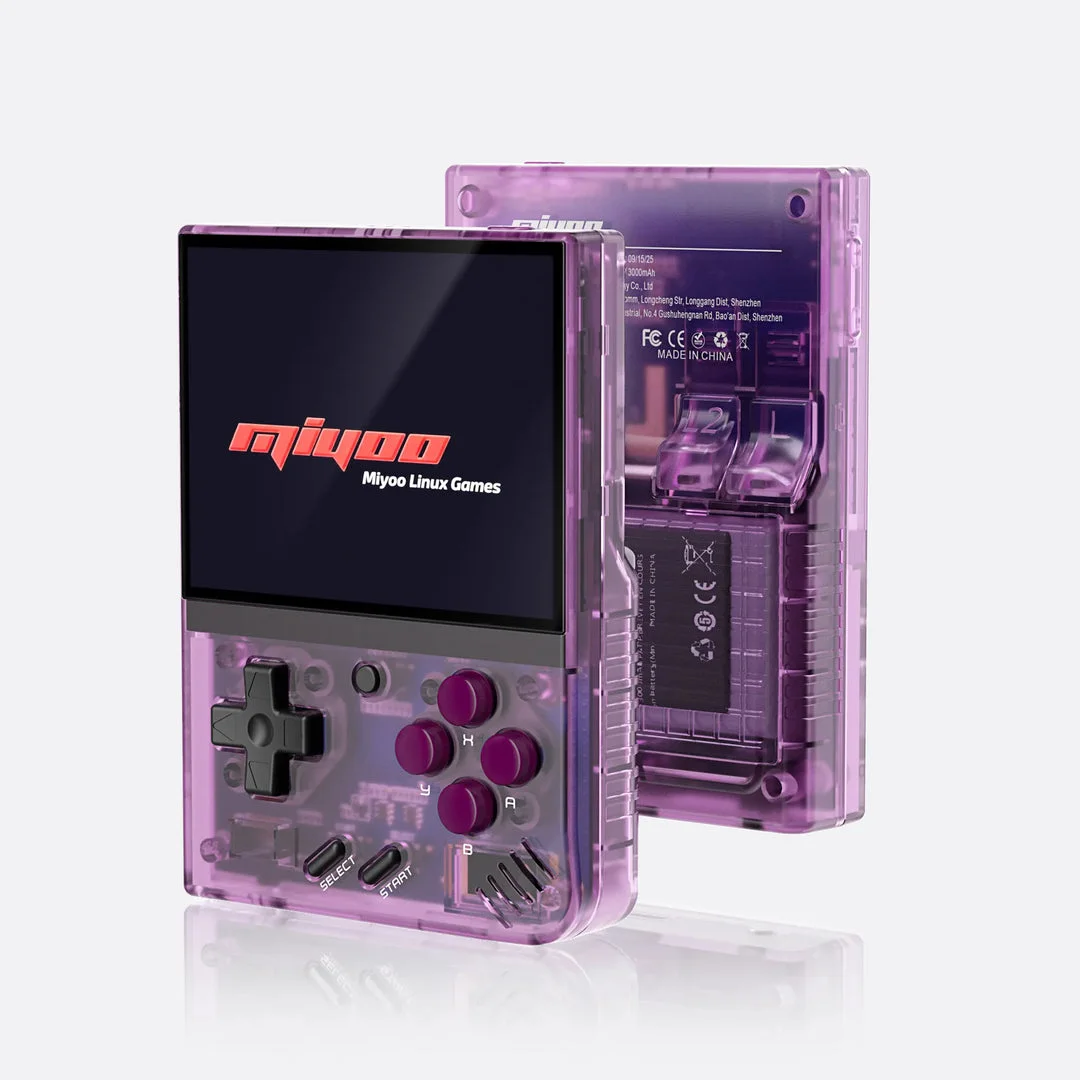
Miyoo Mini Plus with Onion
A retro handheld setup using Onion's documented GBA emulator cores. Check the exact Plus model and firmware before preparing the SD card.
Setup and device details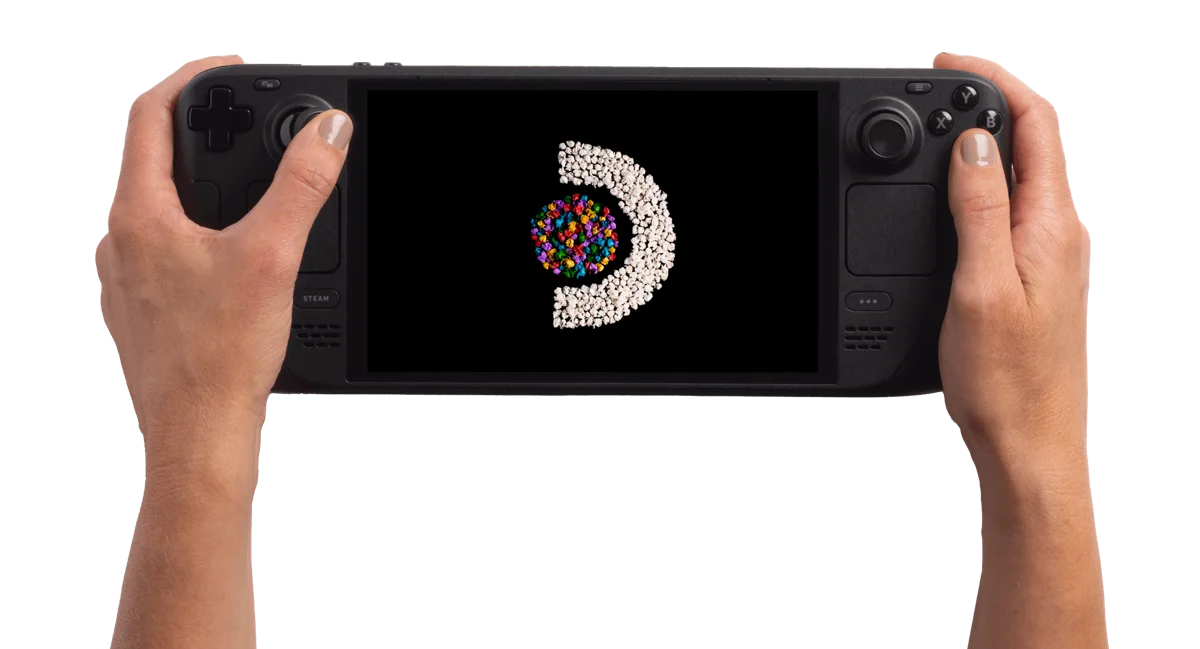
Steam Deck OLED 512GB
A SteamOS handheld PC. Start by checking your games' Deck compatibility and the input they need, then compare its size and screen with how you want to play.
Setup and device detailsTwo different setup paths
| Task | Mini Plus with Onion | Steam Deck OLED |
|---|---|---|
| Emulator route | Onion's mGBA core | mGBA through a SteamOS setup |
| Install | Check firmware; prepare Onion SD card | Configure emulator in Desktop Mode |
| Game file | Patched .gba in Roms/GBA; refresh library | Open or import the patched .gba |
| First check | Controls, in-game save and Continue | Controls, in-game save and Continue |
These routes follow Onion's GBA documentation, its SD-card guide and EmuDeck's mGBA guide. Onion's mGBA core and a standalone mGBA app are separate configurations; do not assume their save states are interchangeable.
When to investigate the Mini Plus
You want a device focused on a retro-game library and are comfortable preparing an SD card. Check the exact Mini Plus firmware against Onion's model-specific requirements. This comparison covers Onion, not every seller's stock setup or the original Miyoo Mini.
Before buying, check the actual controls, screen readability, SD-card contents and return terms. A seller's bundled game count does not establish that your chosen ROM hack is included, correctly patched or compatible.
When to investigate the Deck
You already use a Deck, or want a handheld PC beyond this GBA use case. Valve lists a 7.4-inch OLED screen, a D-pad, trackpads and approximately 640 g for the OLED model. Those are hardware details, not a comfort or battery-life verdict.
Follow the SteamOS emulator instructions and check the controller layout. A Steam game's Deck Verified rating does not rate an external Pokémon ROM hack. See Valve's OLED specifications.
Pick the game, then check its requirements
- Pokémon Unbound — base game: Pokémon FireRed (English v1.0); patch: UPS patch; verify the included README and base-game match.
- Pokémon Heart & Soul — base game: Pokémon Emerald Version (U); patch: UPS patch; check the current developer release for the exact asset name.
- Pokémon Inclement Emerald — base game: ; patch: .
These profiles are starting points, not a list of tested games on either device. Use the creator's exact base revision and emulator guidance. Apply the patch with the local patcher, then follow the GBA emulator, controls and save checklist.
If you want to move progress between devices, back up the in-game save, check both emulator save formats and test a copy. Keep your original game and save until loading succeeds. Do not depend on transferring a save state.
Compare using the device you already own
If you already have a Deck, make the GBA setup your baseline: one prepared game, the intended controller profile and a cartridge save that survives Continue. That gives you an actual unmet task to compare with a Mini Plus, instead of comparing a theoretical emulator list.
| Your situation | Useful next step | Decision evidence |
|---|---|---|
| Deck owned; GBA setup not tried | Configure the documented standalone mGBA path | Whether controls and saves work for your game |
| Mini Plus owned; text is awkward | Compare Onion scaling and real menu text | The task configuration cannot resolve |
| Both available | Compare the same game and reading/input task | Your observations at normal playing distance |
| Neither available | Read the exact software setup and seek model-specific observations | Requirements and return terms, with unmeasured points explicit |
Read Deck hotkeys and launch profiles or Onion image scaling for the affected task. A display specification by itself does not settle reading comfort.
Standalone mGBA and an Onion core need separate checks
The same emulator family name can conceal different launch and configuration paths. Record whether you open standalone mGBA on SteamOS or a core within Onion's RetroArch workflow. Keep that distinction attached to instructions for hotkeys, multiplayer, states and progress files.
- On each route, identify the game output and exact release you load.
- Make a temporary in-game save and find the actual destination file.
- Compare source format and supported import instructions before placing a copy.
- Use Continue, check recognizable progress, save again and reopen.
Example: a state from your old setup resumes correctly there, while a cartridge save on the other device shows an older checkpoint. Preserve both. Determine where the progress you want exists instead of treating two files from the same emulator family as equivalent.
If local GBA trading matters, investigate the Deck's documented standalone multi-window path and the game creator's restrictions. Its presence does not establish trading between these two devices.
Mini Plus versus Deck questions
Is another device necessary if I already have a Deck?
Try your exact GBA use case first. A separate device should answer a concrete preference or unmet task, rather than replace an untried setup.
Can I compare advertised battery numbers here?
This page has no same-game battery measurements. Look for tests naming the model, software, game and settings before drawing that conclusion.
Compare the exact item before spending
No live prices or seller stock are tracked here. Compare the exact device, delivery, storage, accessories and return terms. We have not measured FPS, fast-forward speed, battery runtime or comfort, so this page does not name a performance winner.
- Miyoo Mini Plus with Onion: documented details and setup checks
- Steam Deck OLED 512GB: documented details and setup checks
Return to handheld choice. No affiliate buying links.
Based on the creator's documentation, checked 4 Oct 2026. Not hands-on tested unless a section says 'We played it'.
How we check