Miyoo Mini Plus vs RG35XX SP for Pokémon
A vertical handheld with Onion or a clamshell with KNULLI? Start with the software and save workflow you want, then consider the shape.
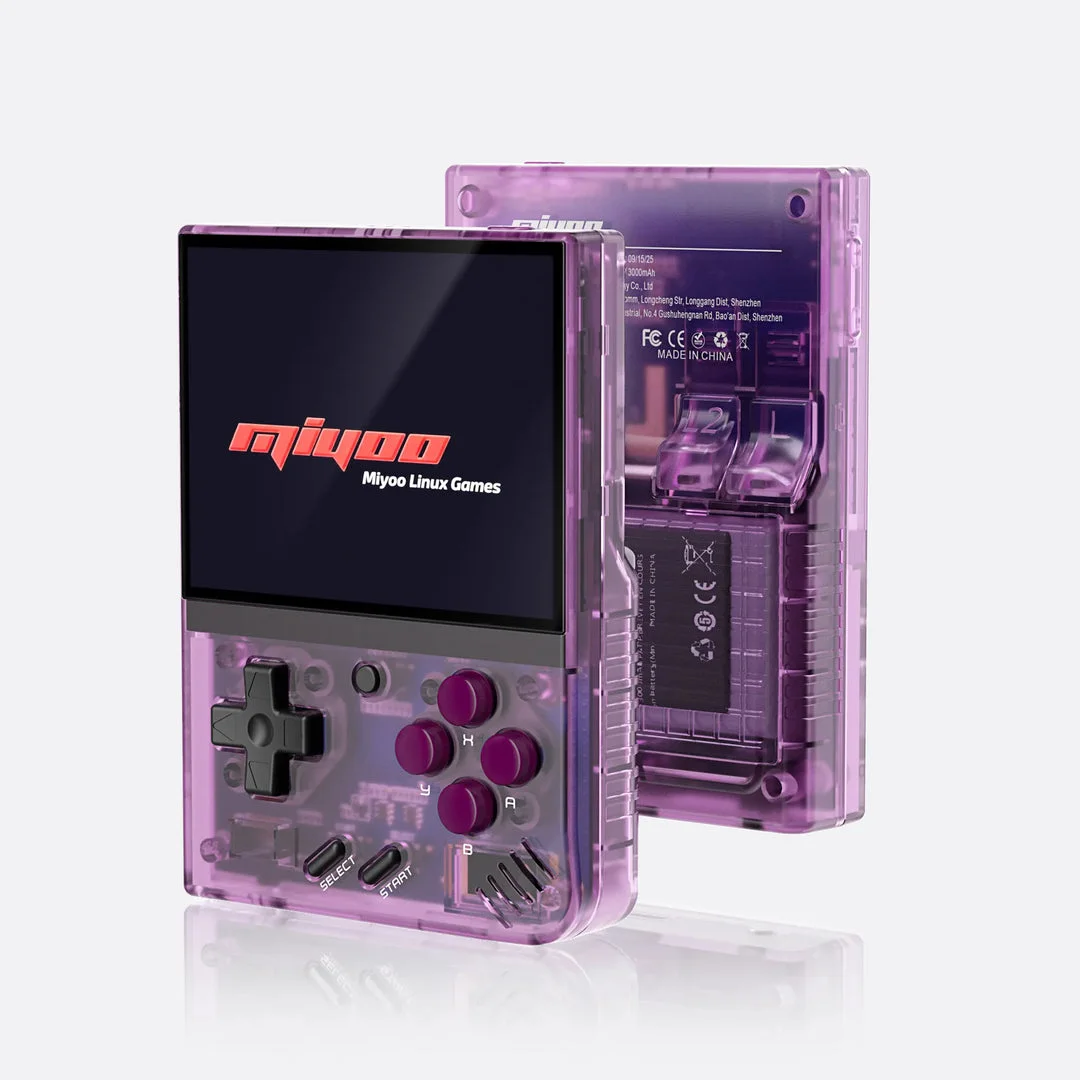
Miyoo Mini Plus with Onion
A retro handheld setup using Onion's documented GBA emulator cores. Check the exact Plus model and firmware before preparing the SD card.
Setup and device details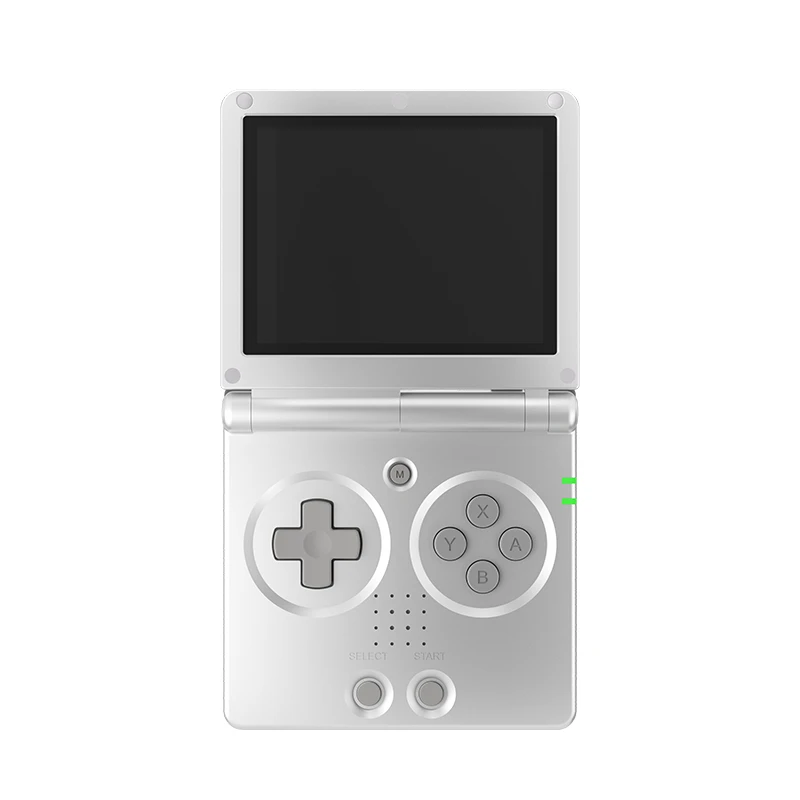
Anbernic RG35XX SP with KNULLI
A clamshell GBA Pokémon setup: patch your game, prepare KNULLI and check what closing the lid actually does before relying on it to protect progress.
Setup and device detailsWhich should you investigate first?
If the Onion library workflow appeals to you, start with Mini Plus. If a hinged shell is your main preference, investigate the SP and configure its lid action deliberately. Already own one? Check your game on that setup before replacing it. These are editorial starting points from documentation, not a performance ranking or a hands-on review.
Compare the tasks you actually need
| Task | Mini Plus with Onion | RG35XX SP with KNULLI |
|---|---|---|
| Prepare the card | Check supported firmware, format FAT32 and copy Onion installation files | Flash the image for the exact SP model; follow KNULLI first-boot instructions |
| Add GBA games | Enable GBA, use Roms/GBA and refresh the library | Use the GBA directory in KNULLI game storage; inspect per-game emulator options |
| Default to check | Onion 4.3 documents mGBA as the GBA default | Check the selected core in your installed KNULLI build and the hack creator's requirements |
| Closing the device | Follow Onion's menu and power controls; this model has no hinged lid | Set Lid Close Mode: display off, suspend or shutdown have different effects |
Onion installation · Onion GBA configuration · KNULLI SP device documentation
The SP lid is not a Pokémon save button
Under KNULLI, a lid action can change the display, suspend the system or shut it down. That is separate from selecting Save inside Pokémon. KNULLI's optional RetroArch autosave also depends on a graceful exit and is an emulator state, not the game's own save command.
Save inside the game, exit normally and check Continue after reopening. Then check the behavior of your chosen lid setting. Read the SP lid and saves guide before trusting it with a long adventure. The source is KNULLI power management.
Moving progress between Onion and KNULLI
Keep the original game and save backed up. Record the hack build and emulator core on both devices. A save state is tied to emulator details; start by investigating the in-game cartridge save.
- Create a temporary in-game save on the destination using the same compatible game build.
- Quit normally and locate that file. Its name and folder identify what the destination expects.
- Copy your backed-up cartridge save only after checking filename, format and compatibility. Do not assume Onion and KNULLI use identical paths.
- Reopen through Continue, inspect the team and location, save again and reopen once more.
Onion's FAQ explains core-specific save folders and how an automatically loaded state can hide imported progress. For that symptom, use the Mini Plus save checklist. For KNULLI, consult its storage guide.
Choose around how you pause a Pokémon session
The hinge is a visible difference, but your pause routine decides what to verify. A short interruption, switching games and ending a long session involve different checks. Establish a deliberate in-game save on either route before comparing convenience.
| Your routine | Onion Mini Plus check | KNULLI SP check |
|---|---|---|
| Pause briefly | Know the menu and resume route | Know the configured lid mode and reopening behavior |
| Switch adventures | Identify the game and progress in GameSwitcher | Identify which session returns through the configured frontend |
| End a session | Save in-game and verify normal Continue | Verify Continue independently of lid-triggered auto-save |
| Share the device | Investigate Guest Mode before exposing established progress | Establish separate supported progress handling for the chosen setup |
These are comparison tasks, not equally supported feature promises. For Onion, follow GameSwitcher and Guest Mode. For SP, use the lid-close guide rather than assuming the shell protects unsaved progress.
What to compare if you can handle both devices
- Hold each as you would during an ordinary session, rather than choosing from a product photo.
- Read dialogue, move names and compact party-menu numbers at your usual viewing distance.
- Use the D-pad and reach L/R without shifting to an uncomfortable grip.
- Find the menu or exit shortcut and verify that you can resume intentionally.
- Compare your intended case, storage and charging routine, using the exact items you would own.
Example: if the SP shape appeals to you but closing the lid returns unexpected progress, resolve the mode and save workflow before calling the device a better fit. If Mini Plus text is the difficulty, investigate its scaling before attributing everything to the shell.
Without access to units, seek observations naming the exact model and use case. This page does not supply hinge durability, comfort or battery measurements.
Mini Plus versus SP questions
Is the SP automatically safer for saves?
Check the chosen KNULLI mode and both progress paths. A hinge does not demonstrate that a cartridge save was written.
Do both use the same game folders?
Follow each firmware's library instructions. Keep game preparation separate from copying files to Onion or KNULLI storage.
Before spending money
Try D-pad reach, shoulder buttons and menu text if you have access to a unit. Check the exact model, card condition and return terms. Shape can guide your shortlist; comfort and hack performance still need your own observations. No current price or stock is tracked on this page.
Mini Plus source overview · SP source overview · GBA game setup
Documentation checked 5 Oct 2026. Device photos carry their original credits and are not our test photos.
Based on the creator's documentation, checked 5 Oct 2026. Not hands-on tested unless a section says 'We played it'.
How we check