Play Game Boy Color Pokémon on a handheld
Choose a GB/GBC emulator path, prepare the right game file and check saving and time-dependent features before committing to a Johto adventure.
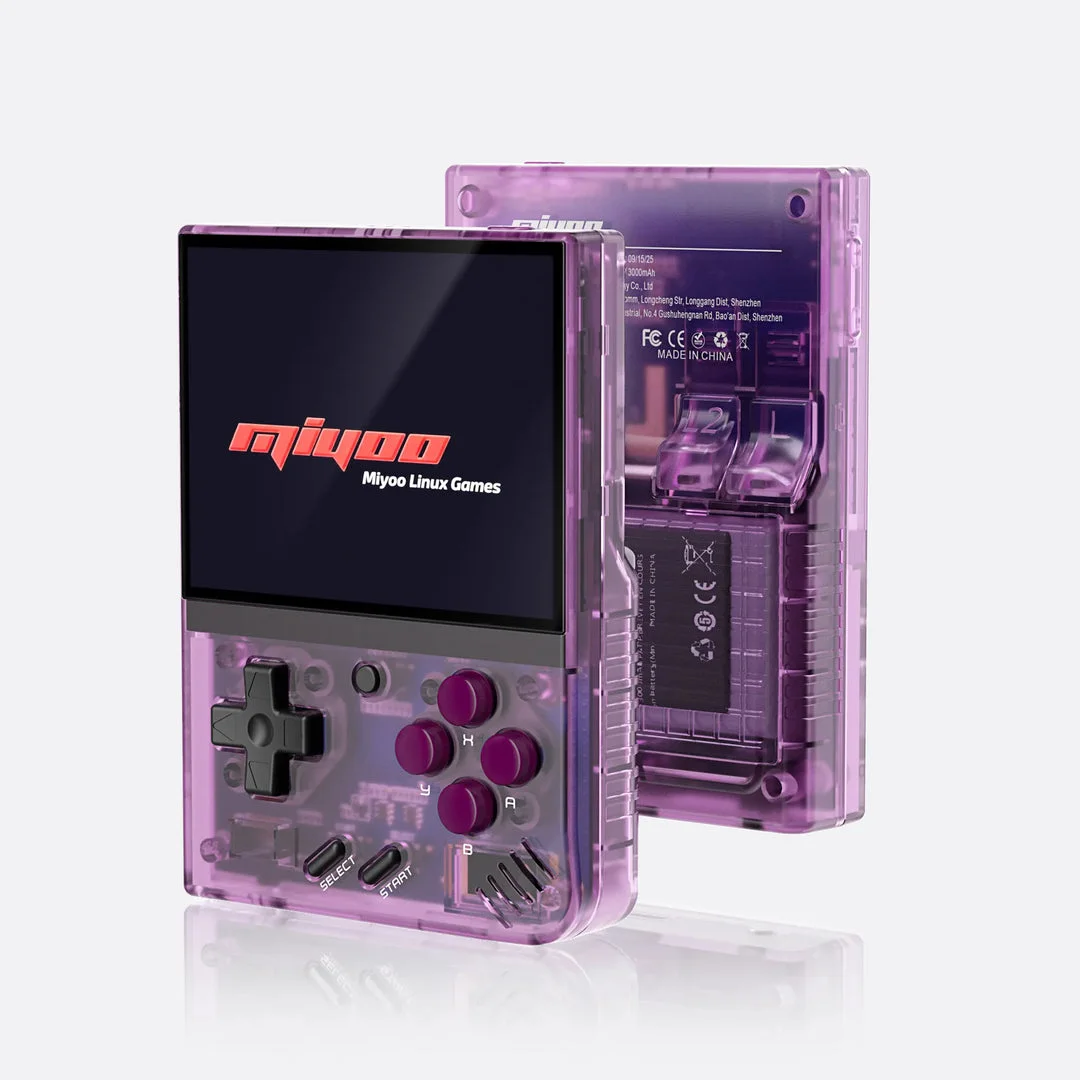
Miyoo Mini Plus with Onion
A retro handheld setup using Onion's documented GBA emulator cores. Check the exact Plus model and firmware before preparing the SD card.
Setup and device details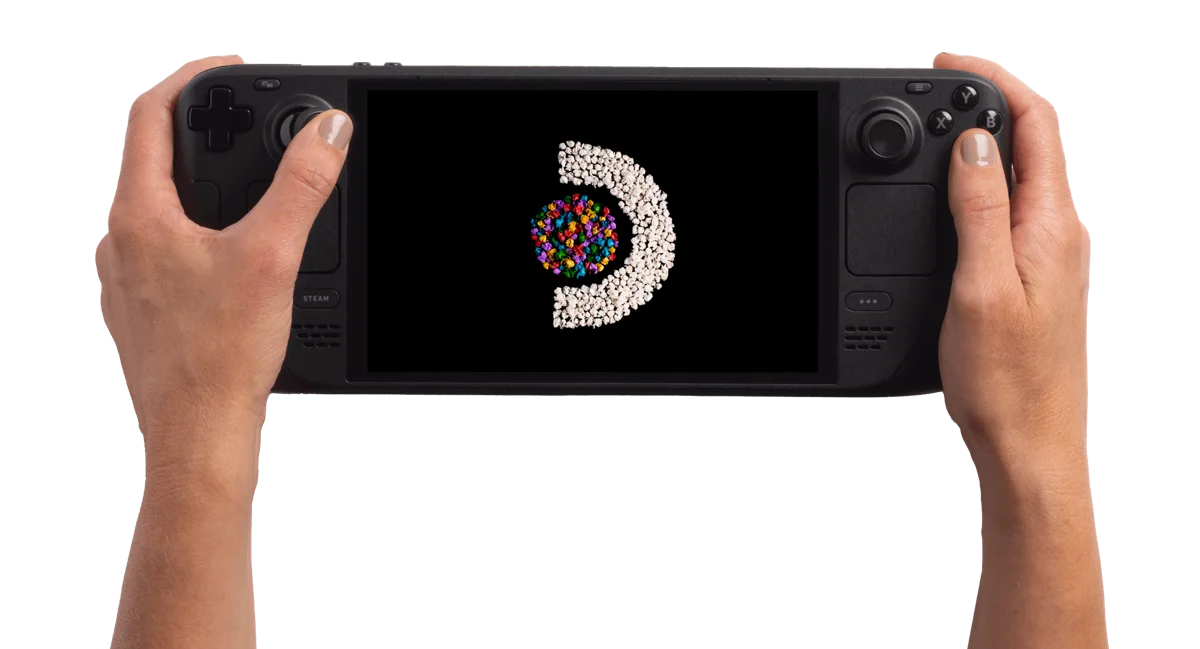
Steam Deck OLED 512GB
A SteamOS handheld PC. Start by checking your games' Deck compatibility and the input they need, then compare its size and screen with how you want to play.
Setup and device detailsFirst check whether the game is GBC
A game's region or story does not identify its hardware. Crystal-based projects in our selection are Game Boy Color games. Heart & Soul is a GBA demake, while Nintendo DS projects need a separate two-screen emulator setup.
- Pokémon Polished Crystal — source-build workflow in our catalog; confirm the exact release instructions and save rules.
- Pokémon Crystal Legacy — source-build workflow in our catalog; confirm the exact release instructions and save rules.
Crystal Legacy and Polished Crystal are recorded as source-build projects. Follow the creator's instructions for the required inputs and resulting game file. A source-code archive is not itself a playable game, and the browser patcher is not a source compiler.
For another project distributed as a patch, match the required base, region and revision before applying it. Open the resulting game in your emulator, rather than the patch file. The current ROM checker identifies GBA bases; it does not verify a Crystal GBC base.
Miyoo Mini Plus with Onion
Use the Mini Plus setup guide for model matching and SD-card preparation. Onion's GBC documentation lists lr-gambatte, lr-gearboy and lr-tgbdual, with support for .gb and .gbc files. Enable the GBC system and put your prepared game in Roms/GBC, then refresh the game list.
Check the core actually selected before importing progress. The GBA core described elsewhere on this site is not a promise about the selected GBC core. Start a disposable game, test the D-pad and A/B, save through the game menu, close normally and confirm Continue after reopening.
Steam Deck with standalone mGBA
EmuDeck documents mGBA for GB, GBC and GBA. Put GBC games in Emulation/roms/gbc; original GB games use Emulation/roms/gb. These paths are relative to the selected EmuDeck installation.
Use the Game Boy Color mGBA launcher or select the matching standalone emulator in your frontend. EmuDeck places cartridge saves in Emulation/saves/mgba/saves and states in Emulation/saves/mgba/states. Instructions for standalone mGBA should not be applied blindly to a RetroArch core. The Deck overview covers the hardware separately.
Check the clock before relying on daily events
For a game with time-dependent features, record the displayed day and time during your first session. Save, quit normally, turn the handheld off for a short break and reopen without loading a state. Compare the game's clock with elapsed time and check a relevant event when available.
This is a proposed test, not evidence that a particular hardware revision or core keeps time correctly. Clock handling, fast-forward and suspend behavior remain unmeasured here. Avoid changing the system clock repeatedly to force events; consult the game's instructions before trying to repair clock behavior.
Protect your Pokémon progress
- Use the game's Save command and verify Continue after a normal restart.
- Back up the cartridge save and keep states separately before changing the hack, core or firmware.
- On a new emulator, make a temporary save to identify its actual filename, directory and format. Copy only a backup using that emulator's supported import method.
- Start without restoring an old state. Check trainer, party and location, then save again and repeat the restart check.
Onion documents core-specific saves under Saves/CurrentProfile/saves/[CORENAME]. Confirm the running core rather than assuming a folder name. A matching filename does not establish format compatibility, and an old save state can obscure an imported cartridge save.
If Continue is missing, preserve the source backup and check the destination-created filename, selected core and save format. If a game will not boot, check its exact build instructions and try without imported states. Record one change at a time so you can identify what caused the failure.
Other Pokémon handheld paths
GBA handheld setups · Nintendo DS handheld setups · All Pokémon handheld paths
Separate game preparation from the emulator setup
For a Crystal-based project, first establish whether the creator supplies a patch or expects a source build. The two routes can lead to a game file, but they begin with different requirements. Follow the catalog's distribution field and the exact project's instructions.
| What you have | Question to answer | Next action |
|---|---|---|
| A patch package | Which Crystal or other base revision does the creator require? | Match the base and use the named patching workflow |
| A source archive | Which source revision and tools do the instructions specify? | Build according to those instructions |
| A prepared game output | Which GB/GBC emulator path will open it? | Use the device-specific setup below |
| Progress from another setup | Is it a cartridge save in a compatible format? | Preserve the original and identify a destination-created save |
For example, a source archive with Crystal in its name is not a game to place in a library. Likewise, renaming a patch with a .gbc extension does not apply its changes. Read the installation-model comparison if the package's role is unclear.
Diagnose display, clock and progress independently
Use one recognizable game checkpoint when comparing setups. Record the core and exact release before changing appearance settings or importing progress. Different observations require different next steps:
- Text is uncomfortable: compare the actual dialogue and menu numbers. A palette or filter preference is separate from whether the text is readable.
- Continue is absent: inspect the expected filename, directory and cartridge-save format before touching clock settings.
- The clock looks wrong: record displayed day/time, elapsed time and how you launched. A restored state and a normal Continue launch are different observations.
- The game fails after an update: return to the preserved working release and consult the creator's migration rules.
Example: the game opens and Continue restores the right team, but a time-dependent event is unexpected. You have evidence that this progress file loads; now investigate the game's event requirements and recorded clock behavior rather than repeatedly recopying the save.
For Onion's time setup, use the clock guide while retaining the GBC game's own event rules. That guide does not establish every Crystal hack's behavior.
Choose help by the task, not only the emulator name
Once a GBC game launches, the next question often belongs to the game itself. Use this map to keep the device setup, a changed gameplay rule and an update failure from turning into the same troubleshooting loop.
| Your task | Use this guide | Useful result |
|---|---|---|
| Find Crystal Clear’s tutor or Modification Station | Move and team services | Locate the service and inspect its game-specific offer |
| Restore a move or find training resources in Polished Crystal | Leaves and service guide | Choose the correct resource and inspect the offered result |
| Evolution or move requirements in Polished Crystal | Evolution preparation | Know which item, move or action your game expects |
| Produce Crystal Legacy’s game output | Source-build guide | Identify build tools, target and output before library setup |
| Prepare a save copy for another runtime | Local save-transfer planner | Record filenames and unresolved compatibility checks |
| A clock or daily event appears wrong on Onion | Onion clock investigation | Record time and launch behavior before changing settings |
Turn one observation into the next action
Example: Continue restores your Polished Crystal party correctly, but one member does not evolve. You have an observation about the save loading; the missing evolution is a separate question. Check the game’s stated evolution conditions before replacing the core or recopying the save.
If Continue instead offers the wrong party after importing progress, establish which game, core and ordinary save were loaded. The evolution method will not identify the imported file. Write down the symptom before following a guide so you can tell whether its proposed check answers your actual question.
These links provide task-specific guidance, not a tested game/device compatibility matrix. Game pages retain their own source boundaries, and this software setup page retains its original source-check date.
After the game loads: travel, evolve or inspect a teammate
Once your emulator and ordinary saving work, use the task guide for the game you actually launched. Crystal Clear’s transport rules and Polished Crystal’s evolution rules belong to separate adventures.
- Crystal Clear: train, ferry and House Key conditions — choose a destination and a return before changing the party.
- Polished Crystal: evolution actions and Linking Cord sources — ask Elm, inspect the condition and then act.
- Polished Crystal: shiny status, color variation and gold Gyarados — inspect the status indicator before adjusting the display palette.
- Crystal Clear: check a planned chain action — compare catching, defeating, travel, DISABLE and CLEAR against the Tracker state you actually read.
If the required action does not respond, describe whether it is controller input or a game prerequisite. A different button layout cannot satisfy a missing held item or an indoor/outdoor condition. Conversely, an item guide cannot fix a button that never reaches the game.
GBC handheld questions
Can the ROM checker verify my Crystal base?
The current checker identifies GBA bases. Use the Crystal project's documented identification requirements rather than interpreting an unsupported result as a mismatch.
Can I copy GBA emulator settings for a GBC game?
Confirm the installed GB/GBC core or standalone emulator first. A shared emulator name does not mean both launch routes use the same configuration.
Should I change the clock to fix an event?
Record what the game shows and read its event rules first. Repeated clock changes make a comparison harder to interpret.
Keep a handheld session record
A short record helps you compare one change with the previous attempt. For GBC, record the day or time the game actually displays and whether you loaded an ordinary save or a state. Leave anything you have not checked blank: the export marks it as “Not recorded”.
Open the local session notebook
These notes stay in this page’s browser memory. They are not uploaded or saved automatically; reloading clears them. Download the text before leaving if you want to keep it. This tool does not read game files, saves or device settings.
Preview the text export
GBC handheld session notes

User-entered observations; not a compatibility verdict or verified diagnosis.


Device and operating system:
Not recorded

Game and build / edition:
Not recorded

Emulator and core / version:
Not recorded

Launch route:
Not recorded

Task and expected observation:
Not recorded

One change tried:
Not recorded

Observed result:
Not recorded

Next question or action:
Not recorded
Sources and scope
- Onion 4.3: GBC cores and supported files
- Onion: game-library preparation
- Onion: save locations and imports
- EmuDeck: standalone mGBA and file locations
Software sources checked 5 Oct 2026. Game requirements retain their own catalog source dates. Use legally obtained files and creator instructions. This page contains no ROM or BIOS downloads, measured performance results or hands-on device review.
Based on the creator's documentation, checked 5 Oct 2026. Not hands-on tested unless a section says 'We played it'.
How we check