Retroid Pocket 5 (Android)
Save a Pokémon game-specific RetroArch button remap
DS progress differs between launchers? Check melonDS Android save locations
Can Pocket 5 play Infinite Fusion? Check runtime, controls and saves
Import a Pokémon GBA save on Retroid Pocket 5
GBA Pokémon: RetroArch and the mGBA core
Follow Libretro's Android installation guide, then select the mGBA core for your patched .gba game. Follow the hack creator's emulator requirements before choosing a core. Use the existing GBA patch and emulator guide for the base-file checks.
Libretro documents cartridge saves as .srm files in the frontend's Save directory; states use its separate State directory. Check your configured locations, save in-game, close normally and reopen through Continue. Back up the in-game save before changing core or game version.
Explore Pokémon Unbound, Pokémon Heart & Soul, Pokémon Inclement Emerald. These profiles provide patch requirements, not tested Pocket 5 performance.
DS Pokémon: a separate Android emulator
The melonDS Android port is separate from the desktop emulator. Its repository documents a layout editor and lists local multiplayer among missing features. Check its own documentation rather than SteamOS instructions.
Scan the game in the emulator before launching through a frontend. Set and verify the save directory: the port documents fallback saves in Android/data/me.magnum.melonds/files/saves when a frontend launches an unscanned game without a usable save destination.
Try both screens, lower-screen input and in-game saving. Specific hardware input behavior remains untested here. Pokémon Renegade Platinum is a DS example; follow its creator's xdelta instructions.
Compare GBA handheld paths · Compare Nintendo DS handheld paths
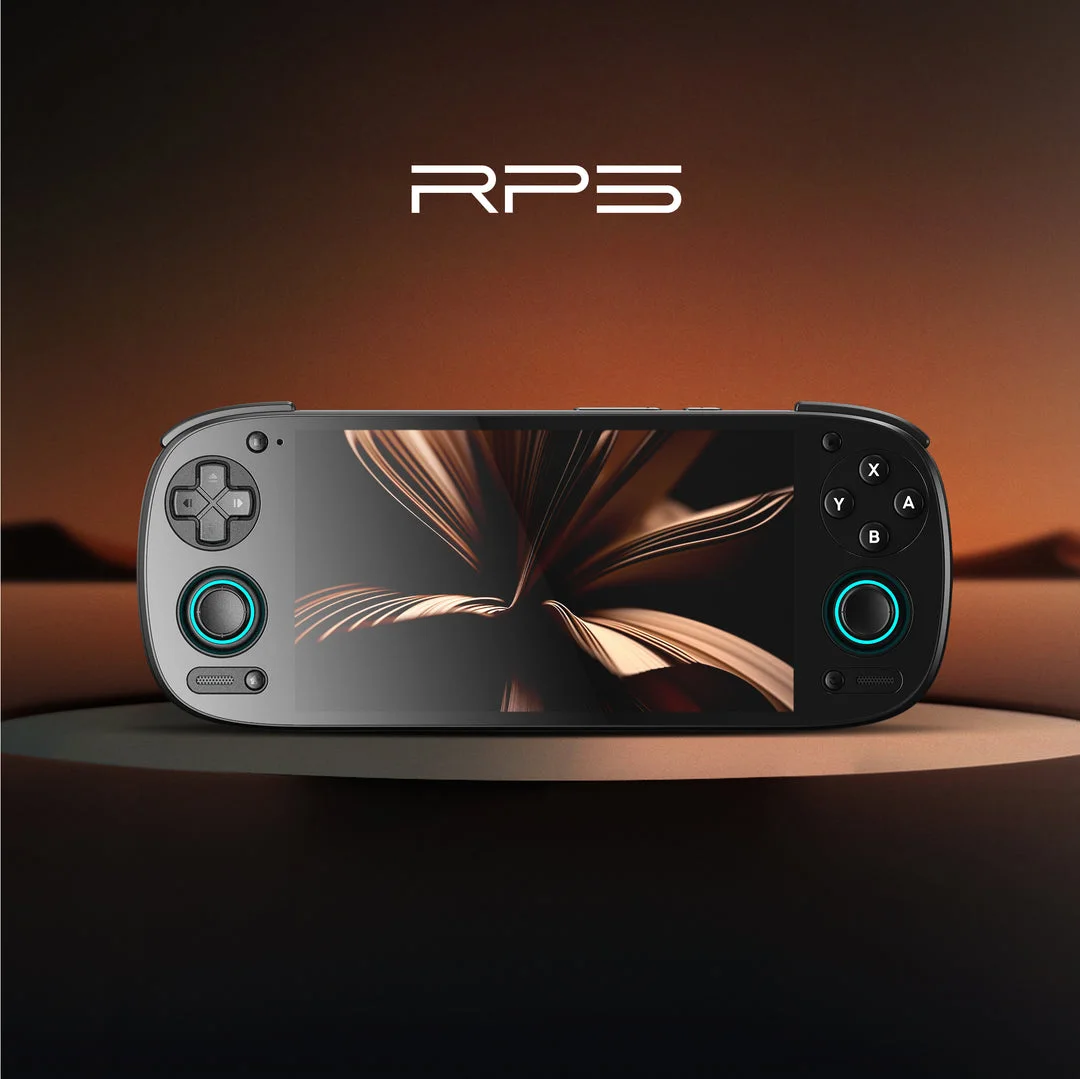
Documented specifications and setup
Model covered: Pocket 5, Android 13 setup; confirm the seller's exact configuration. These details come from the named sources, not our measurements.
| Feature | Listed specification | Source |
|---|---|---|
| Operating system | Android 13 in Retroid's listing | Retroid: Pocket 5 listed specifications |
| Screen | 5.5-inch AMOLED, 1080p, listed 60fps display specification; not measured game FPS | Retroid: Pocket 5 listed specifications |
| Storage | 128GB UFS 3.1 with TF-card slot | Retroid: Pocket 5 listed specifications |
| Battery capacity | 5000mAh; no measured runtime | Retroid: Pocket 5 listed specifications |
| Controls and cooling | Hall sticks, analog L2/R2 and active cooling | Retroid: Pocket 5 listed specifications |
What to check before buying
Confirm the exact unit
Check Pocket 5 versus other Retroid models, storage configuration, condition, return terms and total delivered cost. No current price or stock is tracked here. Read the official explanation
Choose the GBA software path
Use the developer's Android RetroArch installation instructions and mGBA core documentation. A standalone desktop mGBA download is not an Android app. Read the official explanation
Choose the DS software path separately
The linked melonDS Android port has its own documentation and limitations. Do not apply Steam Deck EmuDeck folders or hotkeys to Android. Read the official explanation
Try the games you actually want
Check D-pad mapping, readable text, lower-screen input and saving. Game-specific speed, clock behavior, battery life and comfort remain untested here.
Hands-on findings
No original tests have been recorded. We do not give an FPS estimate, battery-life verdict, review score or blanket game-compatibility recommendation from specifications alone.
ROM hacks and standalone games
Compare Retroid Pocket 5 and Miyoo Mini Plus for Pokémon
Compare Miyoo Mini Plus with Onion and Steam Deck for GBA ROM hacks.
First identify the installation format. A ROM hack needs its matching base game and a suitable way to run the patched file. A standalone fangame has separate runtime and operating-system requirements. The device specifications above do not verify either game on this unit.
Read standalone games versus ROM patches, check the catalog's platform requirements or use the game Finder. The ROM checker and ROM patcher process your own files locally; they do not certify handheld performance.
Sources and buying links
- Retroid: Pocket 5 listed specifications
- Libretro: RetroArch Android installation
- Libretro: mGBA core and saves
- melonDS Android port: setup and save behavior
Sources are the manufacturer or software developers named above. There are no affiliate buying links on this page. Specifications and software can change; check the exact device and game before buying.
Based on the creator's documentation, checked 4 Oct 2026. Not hands-on tested unless a section says 'We played it'.
How we check