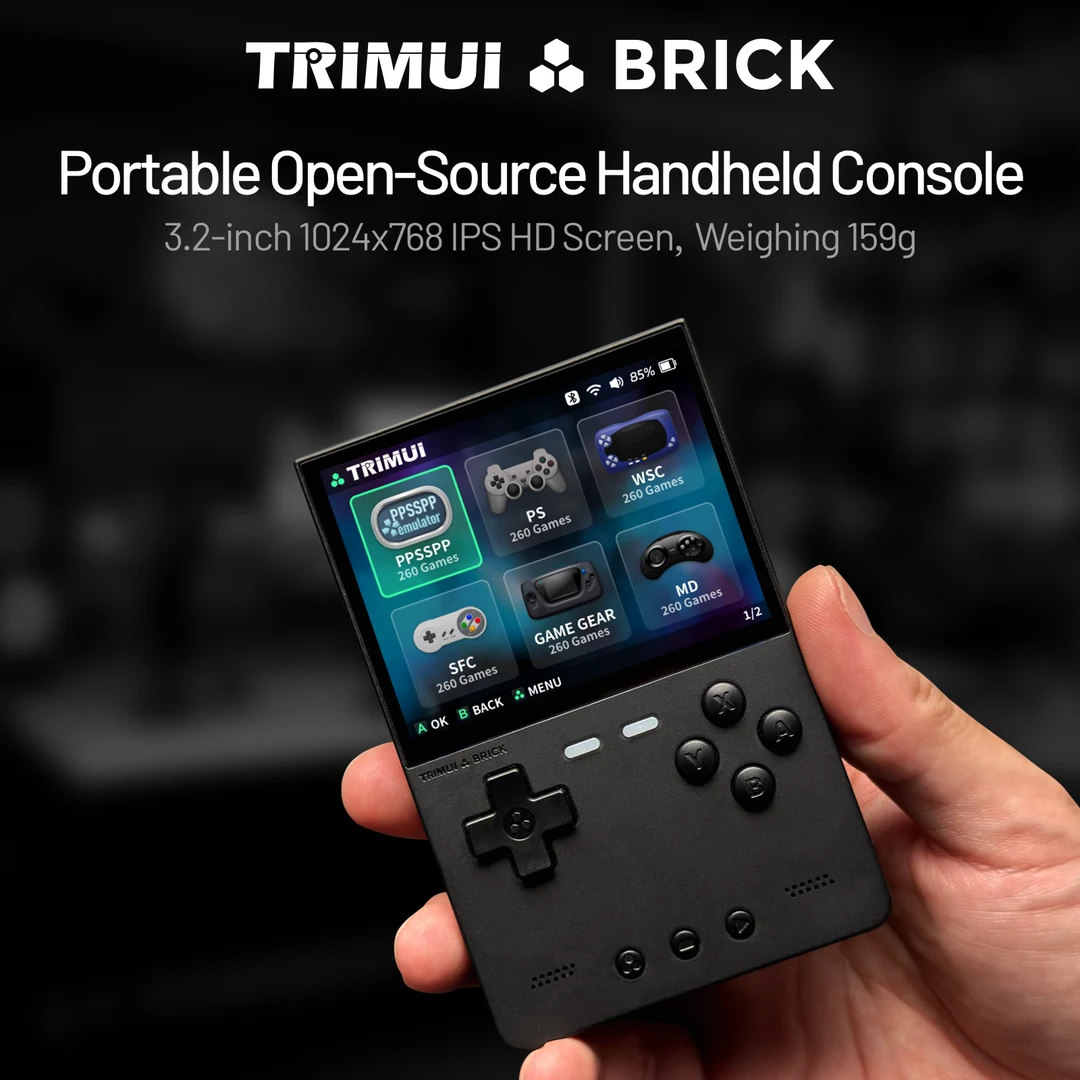
TrimUI Brick with KNULLI
Quick Resume: verify shutdown and restored progress
Settings changed back? Check KNULLI configuration layers
KNULLI Pokémon shortcuts: scope, persistence and conflicting actions
GBA games missing in KNULLI? Check active SHARE, transfer and gamelist
TrimUI Brick or Miyoo Mini Plus: compare Pokémon setup and moving saves
GBA Pokémon on the original Brick
Choose this path if you want a compact vertical form and are prepared to set up an SD card. Compare it with the Miyoo Mini Plus with Onion; if you prefer a hinged design, see the RG35XX SP. Neither shape nor processor specifications prove that your hack runs correctly.
Install the matching software and game
- Back up the existing card, match the original Brick to its KNULLI device page, and flash the device-specific image through the quick-start instructions. The device page says normal users do not need to extract a kernel or bootloader.
- Check the hack's base game, region and revision. Apply its patch, then copy the resulting
.gbafile into the GBA directory in KNULLI's game storage. - Inspect the selected emulator through Advanced Game Options. Follow the creator's requirements and the choices in your installed build.
- Check a battle and menu for readable text. Map A/B, L/R, Start and Select, then test an in-game save and reopening through Continue.
What does the Brick's toggle switch do?
Under KNULLI, open Start → Device Settings → Toggle Switch Mode. The developers document mute/unmute, RGB on/off and airplane-mode on/off. Choose the action you want and verify it in your installed version. These documented choices do not make the switch a save button or establish a fast-forward shortcut.
Use the separate function-button and power-button instructions. A forced power cut is a recovery action, not a normal way to finish a play session.
Keep saves separate from states
If using the mGBA core, Libretro documents .srm cartridge saves. Find the actual file in your frontend's configured save location. Save in-game, close normally and reopen before trusting a long playthrough. Back up that file before changing firmware, core or game version; keep save states as an additional convenience.
GBA Pokémon games to start from
- Pokémon Unbound — Pokémon FireRed (English v1.0); UPS patch; verify the included README and base-game match patch.
- Pokémon Heart & Soul — Pokémon Emerald Version (U); UPS patch; check the current developer release for the exact asset name patch.
- Pokémon Inclement Emerald — ; patch.
These profiles supply patch requirements, not tested Brick results. Hack speed, clock events, fast-forward, trading and battery runtime remain untested. This page does not document a DS setup.
Check your base file · Patch locally · Compare GBA handheld setups
Documented specifications and setup
Model covered: Original plastic Brick (TG3040), using KNULLI; not Hammer, Pro or Smart Pro. These details come from the named sources, not our measurements.
| Feature | Listed specification | Source |
|---|---|---|
| Screen | 3.2-inch IPS, 1024 × 768, fully laminated | TrimUI: original Brick product and specifications |
| Memory and internal storage | 1GB LPDDR3; 8GB eMMC | TrimUI: original Brick product and specifications |
| Battery capacity | 3000mAh; runtime not measured by Pocket Deal Radar | TrimUI: original Brick product and specifications |
| Software route | KNULLI documents the Brick with an EmulationStation frontend | KNULLI developers: TrimUI Brick |
| Processor / graphics family | Allwinner A133 / PowerVR GE8300 in KNULLI's device table | KNULLI developers: TrimUI Brick |
| Toggle switch | KNULLI offers mute, RGB or airplane-mode switching under Device Settings | KNULLI developers: buttons and toggle switch |
What to check before buying
Choose the exact original Brick
Match the model to the KNULLI device page and image. Hammer, Pro and Smart Pro names refer to other hardware; do not infer support from the family name. Read the official explanation
Check text and shoulder access
Use a Pokémon battle and menu to assess text size, D-pad movement and L/R access. Screen resolution alone does not establish comfort.
Plan your own card and files
Back up the card before flashing and follow KNULLI's storage instructions. Included game bundles are not evidence that a ROM hack uses the correct base file. Read the official explanation
Check the item and return terms
Confirm condition, included card and delivered cost. No live price, stock or measured game performance is tracked here.
Hands-on findings
No original tests have been recorded. We do not give an FPS estimate, battery-life verdict, review score or blanket game-compatibility recommendation from specifications alone.
ROM hacks and standalone games
Compare Retroid Pocket 5 and Miyoo Mini Plus for Pokémon
Compare Miyoo Mini Plus with Onion and Steam Deck for GBA ROM hacks.
First identify the installation format. A ROM hack needs its matching base game and a suitable way to run the patched file. A standalone fangame has separate runtime and operating-system requirements. The device specifications above do not verify either game on this unit.
Read standalone games versus ROM patches, check the catalog's platform requirements or use the game Finder. The ROM checker and ROM patcher process your own files locally; they do not certify handheld performance.
Sources and buying links
- TrimUI: original Brick product and specifications
- KNULLI developers: TrimUI Brick
- KNULLI developers: quick start
- KNULLI developers: game storage
- KNULLI developers: game settings
- KNULLI developers: buttons and toggle switch
- Libretro: mGBA file and save formats
Sources are the manufacturer or software developers named above. There are no affiliate buying links on this page. Specifications and software can change; check the exact device and game before buying.
Based on the creator's documentation, checked 4 Oct 2026. Not hands-on tested unless a section says 'We played it'.
How we check